
在ComfyUI发布节点
创建一个ComfyUI-registry账号
在 Comfy Registry 注册账号
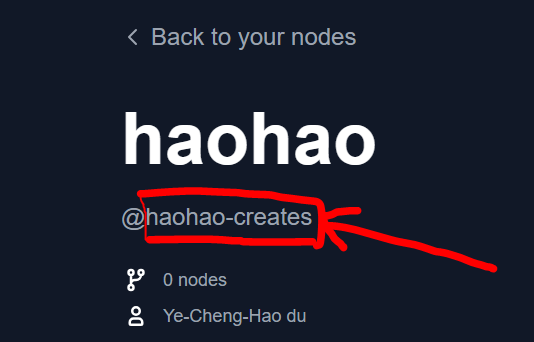
创建一个Publisher
「Publisher」是创建自定义节点的ID标识,一旦创建后不可以被修改
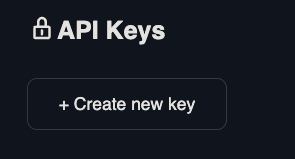
创建一个API Key
链接,后续使用CLI工具上传文件需要用上
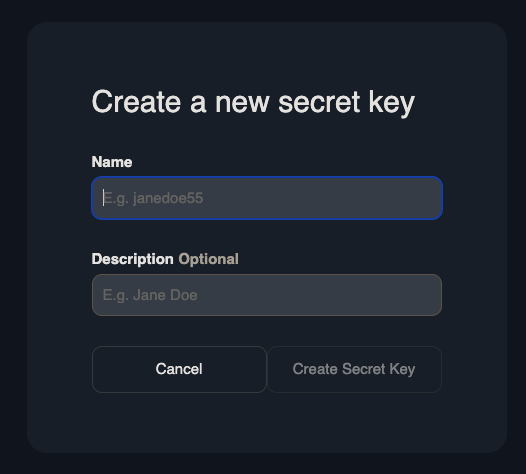
将APIKey保存好,它只显示一次
在节点文件中添加Meta信息
先安装comfy-cli
pip install comfy-cli再进行初始化
comfy node init这行代码会在节点项目中生成pyproject.toml
# pyproject.toml
[project]
name = "" # Unique identifier for your node. Immutable after creation.
description = ""
version = "1.0.0" # Custom Node version. Must be semantically versioned.
license = { file = "LICENSE.txt" }
dependencies  = [] # Filled in from requirements.txt

[project.urls]
Repository = "https://github.com/..."

[tool.comfy]
PublisherId = "" # TODO (fill in Publisher ID from Comfy Registry Website).
DisplayName = "" # Display name for the Custom Node. Can be changed later.
Icon = "https://example.com/icon.png" # SVG, PNG, JPG or GIF (MAX. 800x400px)查看pyproject.toml的更多信息:链接
公开到Comfy-Registry
方式一: Comfy CLI
每次手动运行下方的代码
comfy node publish随后被要求输入API Key
API Key for publisher '<publisher id>': ****************************************************

...Version 1.0.0 Published.
See it here: https://registry.comfy.org/publisherId/your-node方式二: Github Actions
每次自动更新到comfy-registry,这需要用到GitHub Actions
创建一个Github Secret
找到 Settings -> Secrets and Variables -> Actions -> Under Secrets Tab and Repository secrets -> New Repository Secret.
名字(name): REGISTRY_ACCESS_TOKEN
值(value):``API key`(在Comfy-registry创建的)
创建一个Github Action
将下面的代码复制到项目的: /.github/workflows/publish_action.yml
name: Publish to Comfy registry
on:
  workflow_dispatch:
  push:
    branches:
      - main
    paths:
      - "pyproject.toml"

jobs:
  publish-node:
    name: Publish Custom Node to registry
    runs-on: ubuntu-latest
    steps:
      - name: Check out code
        uses: actions/checkout@v4
      - name: Publish Custom Node
        uses: Comfy-Org/publish-node-action@main
        with:
personal_access_token: ${{ secrets.REGISTRY_ACCESS_TOKEN }} ## Add your own personal access token to your Github Repository secrets and reference it here.如果你的项目拥有除main外的其它分支,如master,也需要将它添加到publish_action.yml的branches中
测试Github Action
更新pyproject.toml的版本号,检查是否已经推着到comfy-registry成功
- 文章作者:
- Lthero博客
- 版权声明:
- 本博客所有文章除特别声明外,均采用CC BY-NC-SA 4.0许可协议。转载请注明来自 Lthero博客!


